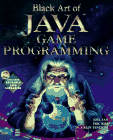
- Reading Assignment:
- Understanding Applets, pages 36-43.
If your basic Java is still weak, read all of Chapter 1, Fundamental Java.
| Animation by Example: Applets by David Matuszek |
An applet is a small Java program that can be put in a web page. There is nothing special about using applets for animation; you can do as much (and more) in an application. These pages use mostly applets so that I can show you the running applets as we go along.
Writing Applets
When you write an applet, you don't write a complete program. The main
method is in the browser (Netscape or Internet Explorer), and it decides
what methods to call and when to call them.
The browser calls these methods, all of them defined in Applet:
public void init()public void start()
public void paint(Graphics d)
public void stop()
public void destroy()None of these methods actually do anything. You create an applet by extending the class Applet,
public class myApplet extends Applet {...}
and overriding some or all of the above methods to make them do something.
Just about every reasonable applet overrides paint(Graphics g).
The parameter is a "graphics context" that you can draw on. There
are a very large number of methods that draw things, for example, g.drawString(string,
x, y) or g.fillRect(x, y, width, height). The important
thing to realize is that paint is expected to draw the entire
picture every time it is called, starting from a blank screen.
The init() method is useful for initializing your variables and
generally setting things up.
You can override start() and stop() if you don't
want the animation to keep going when you aren't looking at the page. Remember,
these methods don't yet do anything--the names suggest what you should
make them do.
Here is the simplest possible applet:
import java.applet.*;
public class MyApplet1 extends Applet { }
and here it is in "action":
Note that this is an actual applet, not just a picture of an applet. You may notice that it doesn't seem to be doing very much--what did you expect?
Here is another, slightly more interesting applet:
import java.applet.*;
import java.awt.*;


public class MyApplet2 extends Applet {

    public void paint(Graphics g) {

        g.setColor(Color.red);
        g.drawRect(25, 15, 20, 20);

        g.setColor(Color.green);
        g.fillOval(40, 10, 60, 30);

        g.setColor(new Color(32, 0, 128));
        g.drawString("Is this exciting, or what?", 60, 25);
    }
}
and here it is in action:
Writing HTML
Applets must be embedded in an HTML page. Here is the page used for
MyApplet2 above; notice that it's just text. The file has a .html extension.
<html>
  <head>
    <title>A Do-Little Applet</title>
  </head>
  <body>
    <applet code="MyApplet2.class" width="250" height="60">
    </applet>
  </body>
</html>
For more information, see More About HTML for Applets.
Running Applets
There are two ways to run an applet:
appletviewer myPage.html. On
a Macintosh, use Apple Applet Runner.These methods may give different results, because not all browsers are equal;
each uses a plug-in to execute the Java code, and the plug-in may not
be up to date. You can download and install more recent plug-ins. In general,
appletviewer does the best job.
The applets in these pages should work for just about any browser, because
I've tried to use only the most basic Java 1.1, and I've tested them under Netscape
4.76. If they don't work in your browser, you probably need an updated plug-in.
If you can't get your browser updated properly, use appletviewer instead.
Remember, you have to use the HTML page; you can't use the .java or
the .class file.
|
|
|
|
|